Dear all,
FineResults Research Services would like to invite you to high impact training on GIS using ArcGIS Desktop to be held in Nairobi from 24 th August – 4 th September 2020
Event information
Course Name : GIS using ArcGIS Desktop
Venue : FineResults Research, Nairobi, Kenya
Event Date : 24 th August – 4 th September 2020
Course Fee : KES 130000 or USD 1600
Registration : REGISTER HERE
INTRODUCTION
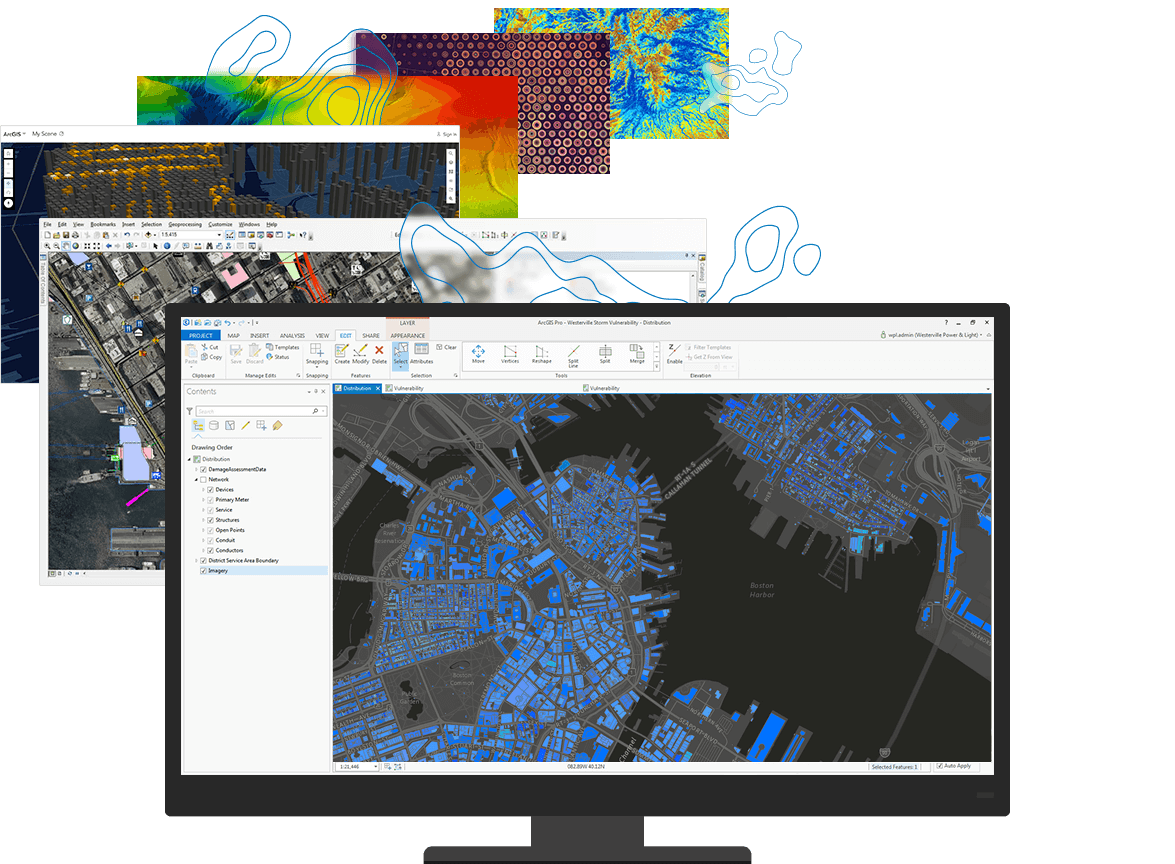
A GIS (Geographic Information System) is a powerful tool used for computerized mapping and spatial analysis. A GIS provides functionality to capture, store, query, analyze, display and output geographic information. This course introduces GIS concepts and ArcGIS tools used to visualize real-world features, discover patterns, and communicate information. Using ArcMap and ArcGIS Online, the participants will work with GIS maps, explore data, and analyze maps and data as you learn fundamental concepts that underlie GIS technology.
DURATION
10 days
COURSE OBJECTIVES
Find and organize geographic data and other content for a mapping project.
Display features on a GIS map and access information about them.
Perform spatial analysis to answer questions.
Share GIS maps and analysis results.
COURSE OUTLINE
MODULE 1: The ArcGIS platform
· Lesson introduction
· The ArcGIS platform
· Getting to know the ArcGIS platform
· Components used in this course
· Lesson review
MODULE 2: The basics of GIS
· Lesson introduction
· Applications of GIS
· ArcGIS online
· Sign in to ArcGIS Online
· Choose a base map
· Add a data fie to your map
· Save and share your map
· Lesson review
MODULE 3: Understanding GIS data
· Lesson introduction
· Turning geographic information into GIS data
· GIS data models
· Explore GIS data models in ArcMap
· Which data model is better?
· Working with tables
· Documenting your data
· Open ArcMap and create a folder connection
· View data in a GIS
· Identify various fie types
· View an item description
· Correct an error in an item’s metadata
· Preview a dataset’s geography and table
· Add data to the map
· Lesson review
MODULE 4: ArcGIS online
· ArcGIS Online content
· GIS services and web maps
· Web mapping applications and mobile apps
· Tools and data from ArcGIS Online
· Explore GIS content using ArcGIS Online
· Browse ArcGIS Online for web content
· Browse ArcGIS Online for desktop content
· View an item’s details
· Examine options for opening ArcGIS Online items
· Lesson review
MODULE 5: The importance of coordinate systems
· Lesson introduction
· What is location?
· How spatial data stores location
· Geographic coordinate systems
· Working with data in different geographic coordinate systems
· Projected coordinate systems
· Spatial properties and distortion
· Understanding distortion
· Work with coordinate systems
· Identify the coordinate system for a dataset
· Identify the coordinate system for another dataset
· Identify a dataset with a different coordinate system
· Identify a dataset with an unknown coordinate system
· Assign a coordinate system to a dataset without a spatial reference
· Change the coordinate system for a dataset
· Lesson review
MODULE 6: Acquiring and selecting GIS data
· Lesson introduction
· Methods for obtaining GIS data
· Accessing GIS data
· Considerations for creating GIS data
· Creating data
· Considerations for choosing GIS data
· Evaluating GIS data
MODULE 7: GIS Data
· Gather and evaluate GIS data
· Consider the data you need
· Examine the data you have
· Add data from another organization
· Add data from ArcGIS Online
· Transfer files from one geodatabase to another
· Import shapefiles into the geodatabase
· Lesson review
MODULE 8: Interacting with a map
· Lesson introduction
· Symbology and visualization
· Finding, identifying, and selecting features
· Asking questions and getting answers
· Getting information from a GIS map
· Explore a map using ArcMap
· Navigate the map
· Modify symbology
· Identify features
· Find features
· Export selected features from a fie to a geodatabase
· Select features
· Examine an attribute table
· View data change over time
· Explore a map using ArcGIS Online
· Navigate the map
· Modify symbology
· Identify features
· Locate addresses and features
· Select features and view an attribute table
· Lesson review
MODULE 9: Performing spatial analysis
· Lesson introduction
· The geographic approach revisited
· Questions you can answer with GIS
· What is spatial analysis?
· Geoprocessing in analyses
· Common analysis tasks
· Perform spatial analysis with common analysis tools
· Open ArcMap and examine the map document
· Extract features in your area of interest
· Identify vulnerable facilities in Lee County
· Overlay the Cat3 layer with Lee County
· Identify hospitals close to the storm surge inundation polygon
· Lesson review
MODULE 10: Sharing results
· Lesson introduction
· The importance of sharing results
· Sharing content through ArcMap
· Sharing content through ArcGIS Online
· Export the map as a PDF
· Create a map package and upload it to ArcGIS Online
· Create a web map
· Customize map symbology and save the map
· Create a web mapping application
NB: We are offering you a half day, fun and interactive team building event!
ACCOMMODATION
Accommodation is arranged upon request. For reservations contact us through Mobile: +254 732 776 700 / +254 759 285 295 or Email: [email protected]
PAYMENT
Payment should be transferred to FineResults Research Services Limited bank before commencement of training. Send proof of payment through the email: [email protected]
Visit our website for more details
How to participate
Contact information
Email: [email protected]
TEL: +254 732 776 700 / +254 759 285 295
Website: fineresultsresearch.org/training/
Visit our face book page
Visit our linkedin page
Visit our twitter account